V&V Automation Demo / Features
This demonstration shows how an automated Verification & Validation system can execute embedded-system tests, communicate with firmware, evaluate results, and generate traceable test records with minimal manual interaction.
V&V Test Application
The desktop application provides a single interface for communicating with the device under test, executing verification tests, monitoring PASS / FAIL results, and accessing generated test records.
All V&V Tests
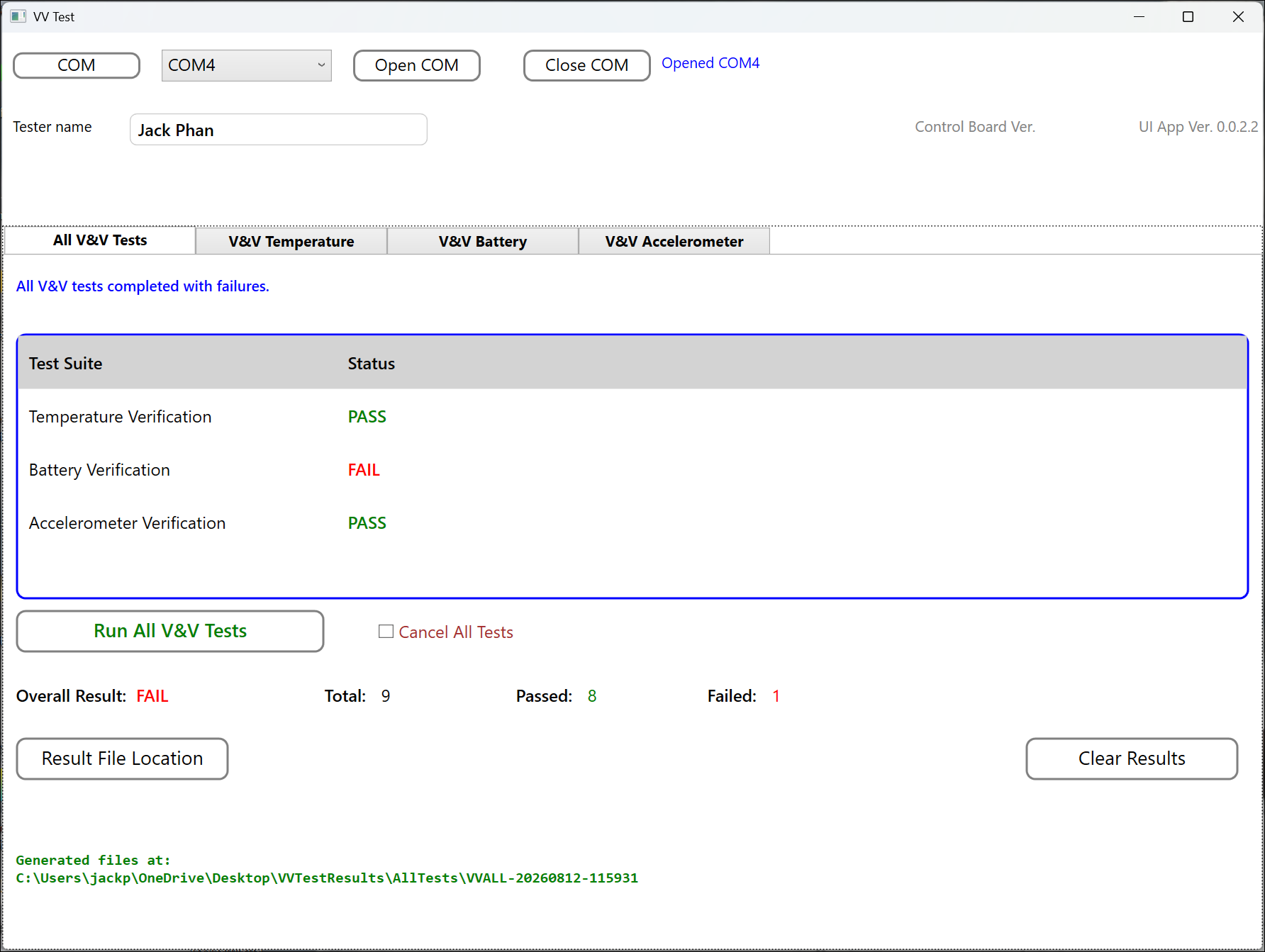
Run the complete verification sequence from a single screen. Temperature, Battery, Accelerometer, and SPI FRAM test suites are executed sequentially with individual suite status and an overall V&V result.
Temperature Verification
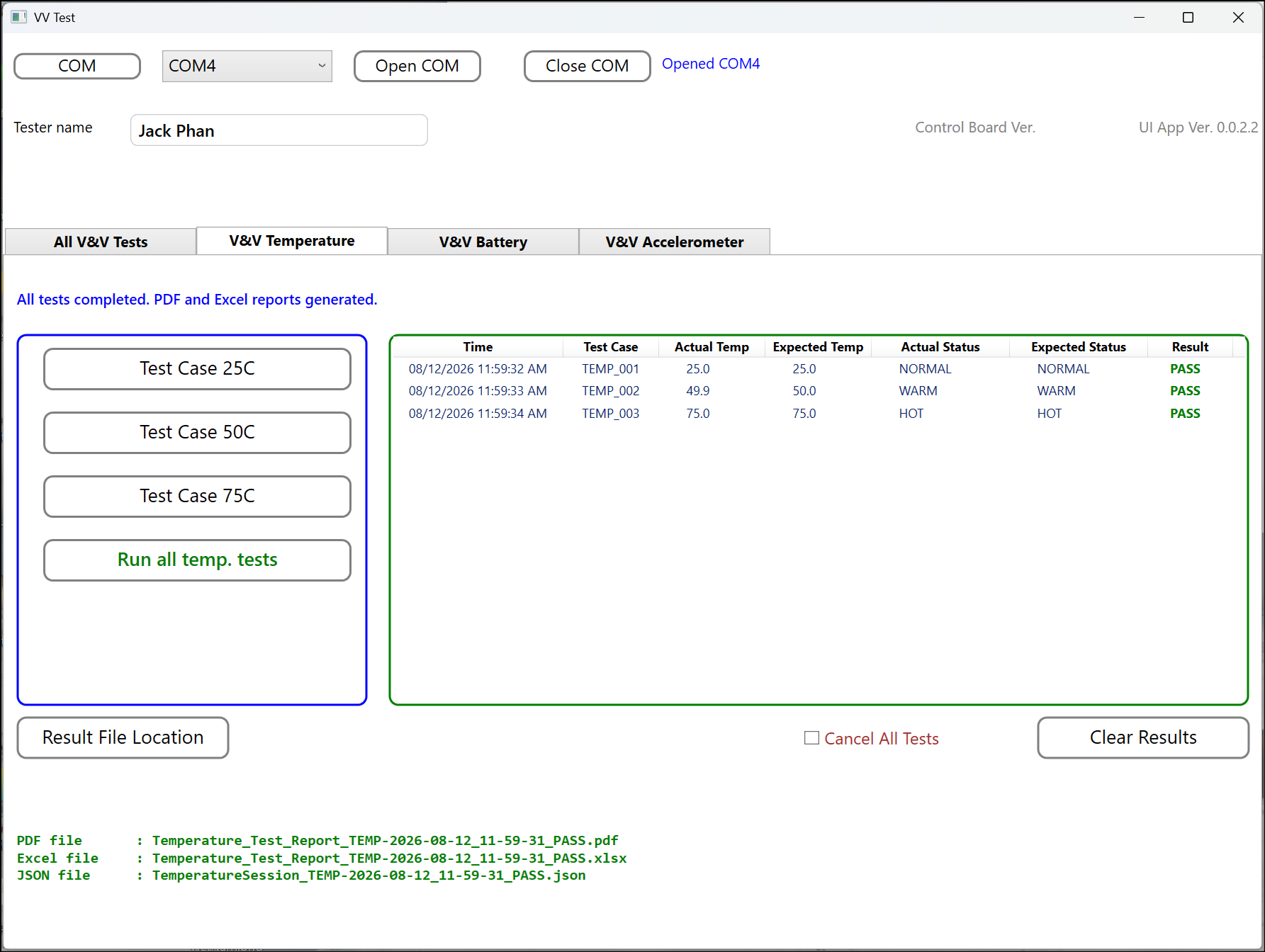
Execute individual temperature test cases or the complete Temperature test suite and automatically compare measured results with expected values and acceptance criteria.
Battery Verification
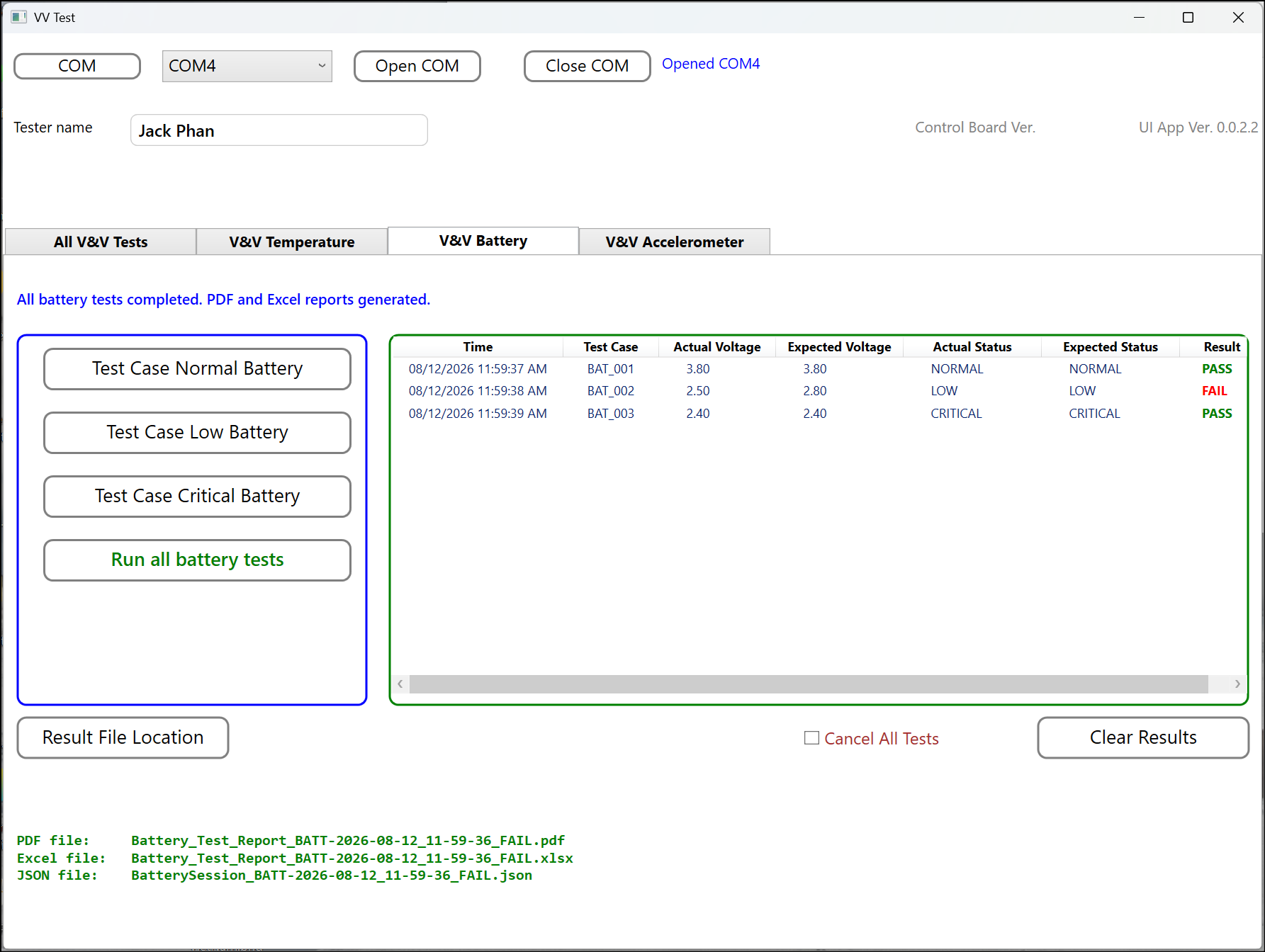
Verify battery operating conditions including normal, low, critical, and high voltage states using configurable test criteria.
Accelerometer Verification
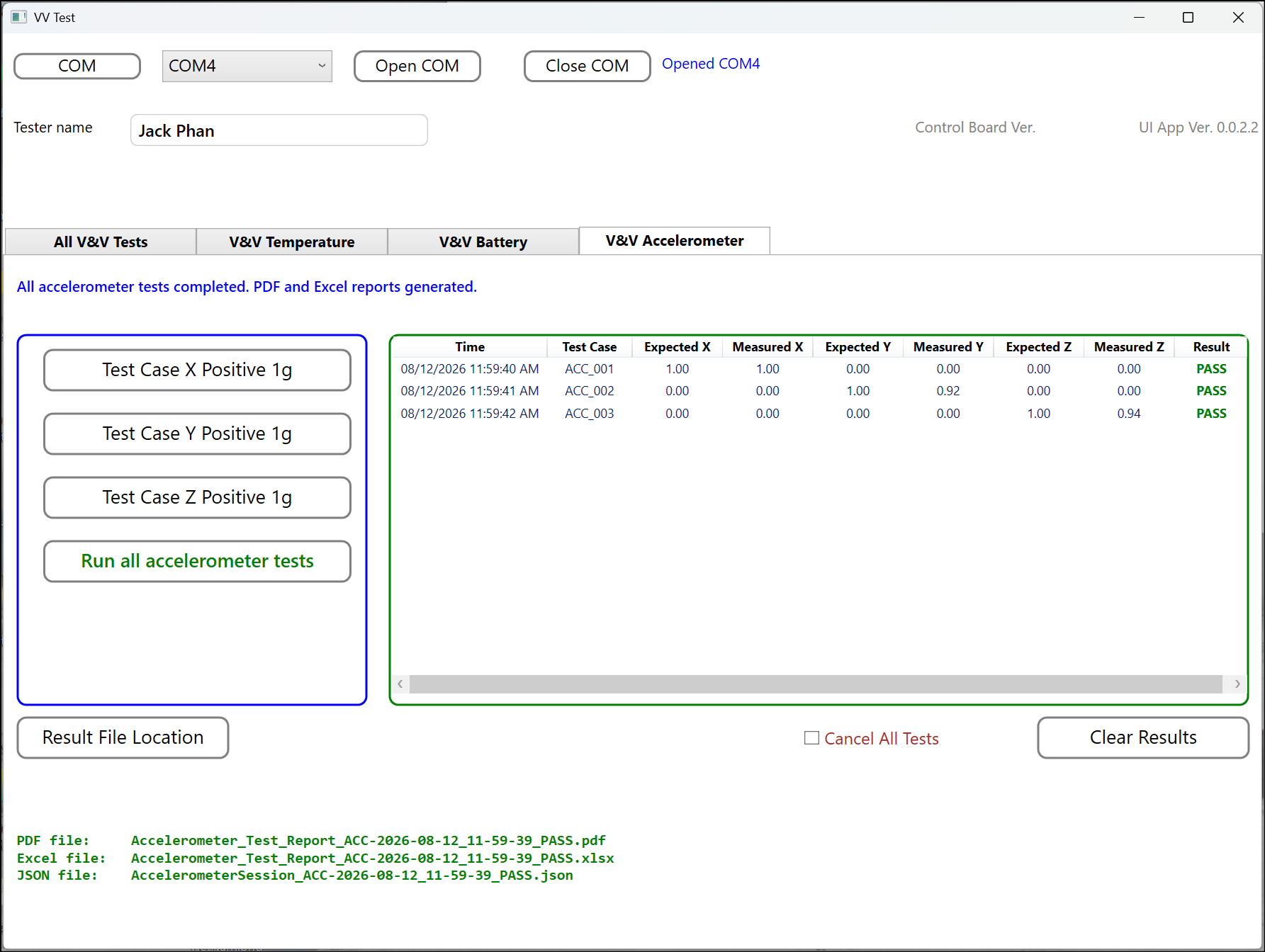
Verify X, Y, and Z acceleration measurements against expected values and configurable axis tolerances.
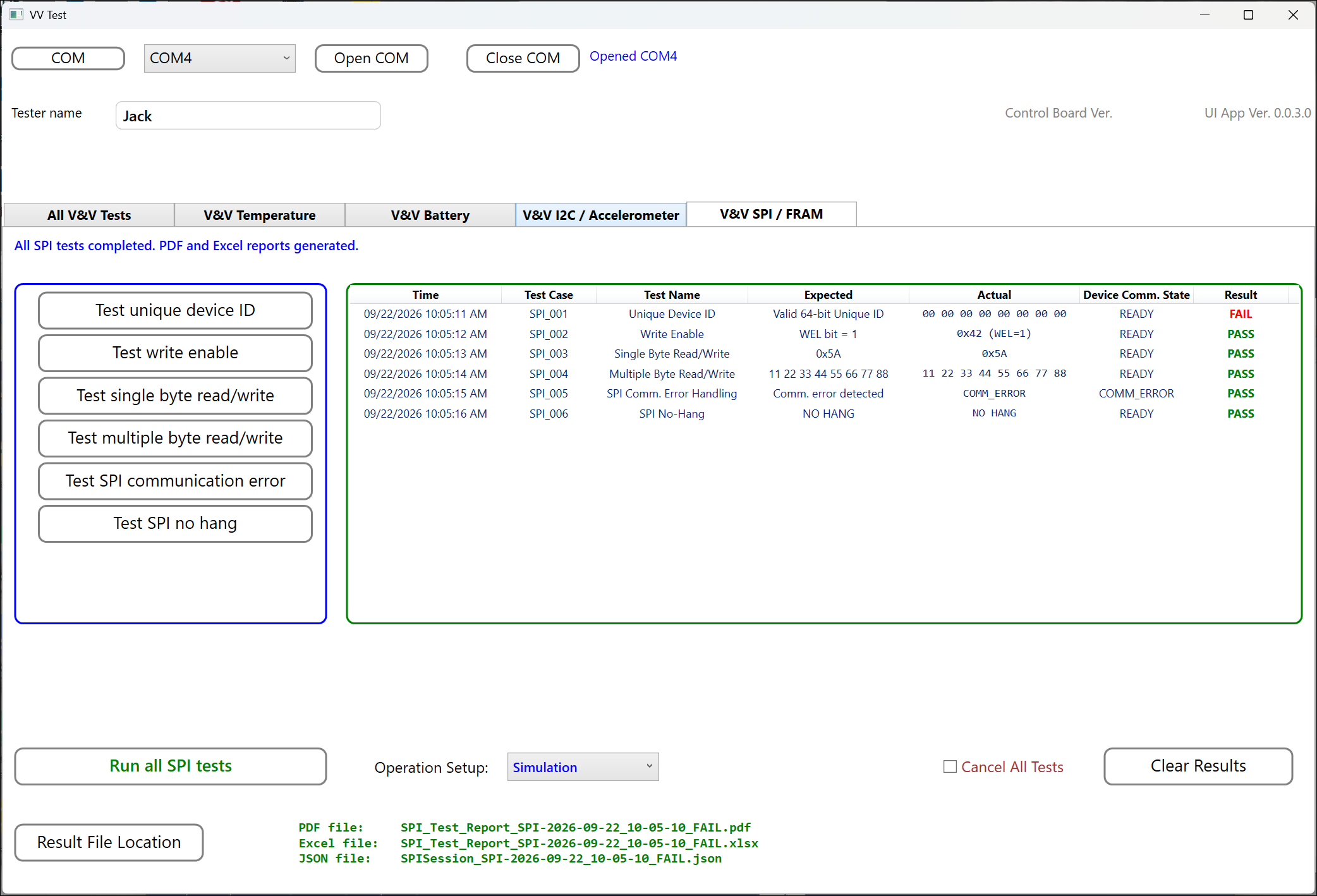
SPI FRAM Verification
Verify SPI communication with external FRAM, including device identification, write enable, single-byte and multiple-byte memory operations, communication errors, and timeout handling.
Automated Test Suites
Temperature V&V
Executes defined temperature verification tests and evaluates measured temperature, operating state, and configured tolerance criteria.
Tests can be executed individually or as a complete Temperature test suite.
Battery V&V
Verifies battery operating conditions using defined voltage inputs and expected battery states.
Test cases can verify normal, low, critical, and high voltage conditions.
Accelerometer V&V
Verifies acceleration measurements on the X, Y, and Z axes by comparing actual values against expected values and configurable tolerances.
SPI FRAM V&V
Verifies SPI communication and FRAM operations including device identification, write enable, memory read/write, communication errors, and timeout handling.
All V&V Tests
Executes multiple verification test suites sequentially from a single command.
The system tracks the PASS / FAIL result for each test suite and calculates an overall V&V result.
Complete Automated Test Workflow
The All V&V Tests function provides a higher-level automated workflow for executing multiple verification suites.
Each suite is executed automatically and its results are recorded before the next suite begins. When the complete sequence finishes, a session summary records the overall verification result.
Key Automation Features
Run Individual Tests
Engineers can execute a specific verification case during development, debugging, or troubleshooting.
Run Complete Test Suites
Execute all enabled test cases automatically using predefined test criteria.
Configurable Test Criteria
Expected values, tolerances, test enable settings, and other test parameters can be defined outside the application using configuration files.
Automatic PASS / FAIL
Measured results are compared against predefined acceptance criteria without requiring manual calculations.
Serial Device Communication
The PC application communicates with embedded firmware using a defined command and response protocol.
Simulation and HIL Support
Tests can begin using simulated firmware inputs and later transition to Hardware-in-the-Loop testing with physical sensors and hardware.
Test Logging
Communication activity and test execution information are logged for troubleshooting and engineering traceability.
Automatic Session Results
Test results are organized into session folders, making it easier to identify and review evidence from each verification run.
Automatic Test Evidence
Test evidence is automatically generated at the completion of a test suite or V&V session.
Human-readable test report.
Excel
Test results for analysis and review.
JSON
Machine-readable structured test data.
Logs
Detailed execution and communication history.
Benefits of Automated V&V
Repeatable Testing
The same test criteria and procedure can be executed consistently across multiple firmware builds.
Reduced Manual Effort
Automated execution and result evaluation reduce repetitive manual testing tasks.
Traceable Evidence
Results, timestamps, test identifiers, and generated reports provide records of each verification session.
Expandable Architecture
Additional devices, sensors, test suites, and test criteria can be added as product requirements evolve.